Arya POS
Arya POS is a point-of-sale solution for businesses ranging from small neighborhood stores to large retail markets. It reads QR codes and barcodes, supports an external reader for large products, and reads 13.56 MHz RFID cards and key fobs. Each cashier can start a session with an assigned RFID key fob.
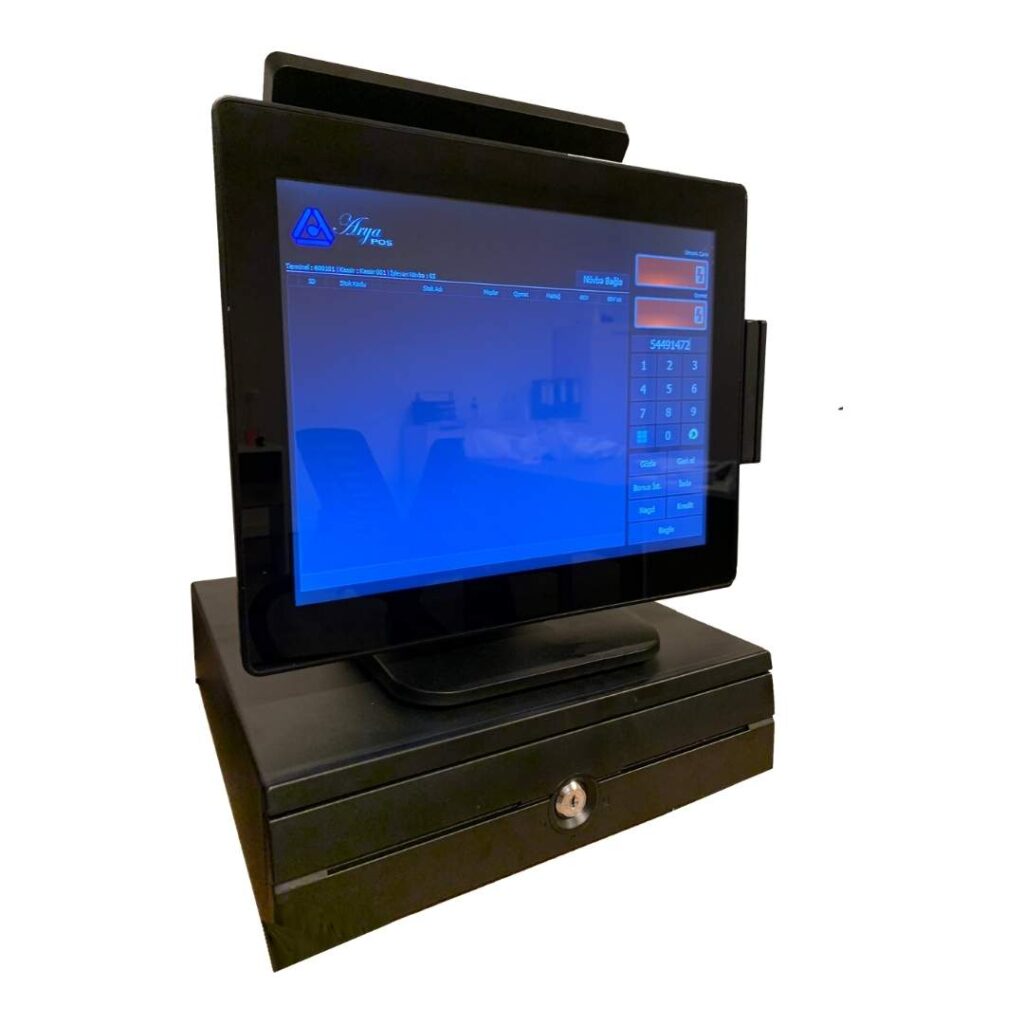
Cashier Performance and Security
After a defined period without a sale, the cashier must scan the RFID key fob again to continue. When the terminal times out, the cash drawer locks automatically and a new sale cannot begin. If the drawer remains open beyond the allowed time, the system issues an audible warning. The shift function lets cashiers close their working period and receive a Z report.
Customer Loyalty and Operational Continuity
Businesses can issue loyalty cards so customers can earn and redeem bonuses. Arya POS can continue working offline and sends queued sales to the server when the internet connection is restored. Cashiers can park an active sale, process another sale and return to the parked transaction later.
Transaction Control and Customer Service
The system warns when the receipt-paper roll is nearly empty and can reprint a receipt that could not be printed after the roll ran out. Returns can be processed easily and, when required, restricted to a supervisor. During a sale, the cashier can enter the amount received and see the change due. A second screen can show customers the scanned products, unit prices, quantities and total amount.
Arya Accounting
Arya Accounting supports core accounting operations across sales locations. Through Arya POS integration, it collects sales data and makes it available for basic accounting workflows.
Current Account Management
- Select suppliers and manufacturers.
- Assign up to five custom groups to each account.
- Set a custom discount rate for each account.
- View current receivables and balances.
- Generate account statements and reconciliation reports.
- Select one of five unit-price lists for an account.
- Restrict ordering for a selected account.
- Set maximum debit and credit amounts and automatically restrict orders when the maximum debt is exceeded.
- Transfer an account balance to another account.
Stock Management
- Define separate warehouses for each sales location and transfer stock between warehouses.
- Create up to five custom product groups.
- Set minimum and maximum quantities for stock alerts.
- Create orders manually or enable automatic ordering with a minimum order quantity and assigned suppliers.
- Manage stock using LIFO and FIFO methods.
- Assign up to three barcodes to a product for package, box and pallet units.
- Define product units, including piece, kilogram and litre, and assign a QR code.
- Mark products of the same type and weight as equivalents.
- Add product images and define up to five unit prices.
- Perform stock counts and generate discrepancy reports.
Order Management
- Print manually created orders by manufacturer or supplier, or send them by email.
- List products approaching the minimum stock level and add selected items to an order.
- Send an order for administrator approval and, once approved, email it to manufacturers or suppliers.
Staff Management
- Set daily, weekly or monthly salary amounts.
- Track payroll and create monthly payroll in bulk.
- Accrue a fixed salary automatically on a selected day of the month.
Bank Account Management
- Record bank-account transactions and generate statements.
- Import bank-account statements.
Contact us